Tag Archives: wayland

Steam Deck and Wayland

BlaBlaSoftware

A while ago, Steam OS 3.8 was released. Among its many improvements, it includes a particularly important one for the Desktop Mode: it finally uses a Wayland session by default.

There are many reasons why this is important for both us and our users. It is more stable, more feature-rich, and does a better job showcasing what Plasma can do.

For now, though, I just want to highlight one neat little feature that is especially handy on a touchscreen device like the Steam Deck: touchscreen gestures.

Out of the box, a three-finger vertical swipe enters Overview mode, showing thumbnails of all open windows. This provides a much more touch-friendly way to multitask, and you can also close a window with a downward swipe gesture. Of course this is a feature available on any device with a touchscreen.

Tooltip handling

GraphicsSoftware

An informational tooltip in Plasma is an item that shows extra informations for items such as task items, and is a single entity, moving along what you want to know more of, rather than magically appear out of nowhere (that’s the kind of “magic” the human brain doesn’t like).
A problem with Plasma tooltips was that they tried to animate themselves, that is usually not a good idea on X11, due to its old async architecture.
But KWin to the rescue! if we want a smooth animation of both the position and the size of the tooltip, the compositor is the place where to do it.
With its scripting user interface, it was even possible to implement it completely in JavaScript.
You can see it in this video taskbar tooltips animating and resizing/morphing in a similar way Windows 7 does.

Btw, the animations in he video looks way less smooth than are in reality, due how terrible screencasting is under X11, but for that:

Wayland will fix it!

Wayland will fix it!

There is a Blur in my Wayland

Software

Over the last few days I decided to help Martin a bit with the ongoing effort on Wayland, since there are still many parts of work missing in order to have a full Plasma Wayland session to just work, but it’s impressive how fast it’s getting there.
It was just a tiny part but is worth sharing it as it brings pretty pictures! (and shows how easy is to contribute).
The popups of the plasma shell need custom positioning code as normal applications can’t position themselves anymore for security reasons, plus KWin uses its effects framework to do a couple of things on plasma panels and popups:

  • Shadows: the shadows are rendered by KWin, they aren’t really a part of the window, as the shadow must not count anything in the position and resizing phase, but just a visual effect on it, it’s also more semantically correct.
  • Background effects: both the panel and the popups have a blurred background plus a contrast/saturation effect, to make it more readable and prettier.

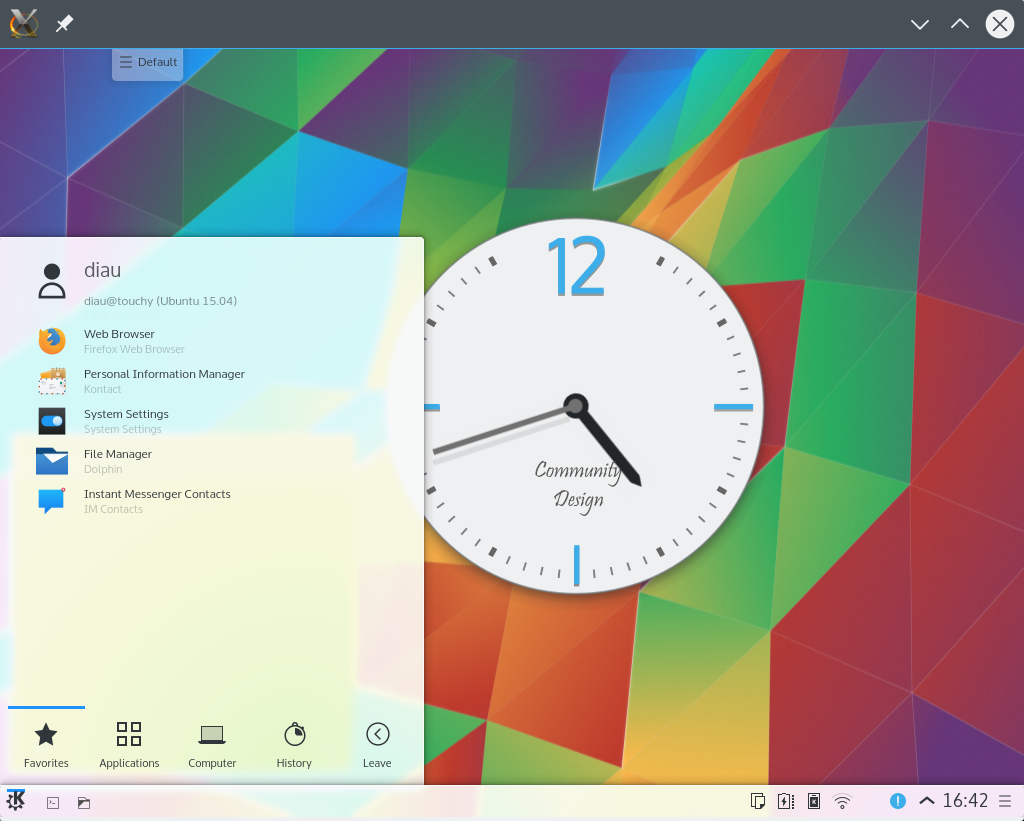
After hooking a protocol to control such effects into wayland, here’s the result, almost undistinguishable (there is still a pretty visible graphical issue, points for finding it) from your current X11 Plasma 5.4 session:

snapshot5

So, what needed to be done?

  • KWayland protocols: each KWin effect that can now be controlled with X properties need its own wayland protocol extension in order to achieve the same thing, I wrote one for blur behind and background contrast (shadow was already there). The good news here is that Martin is working on a tool to auto generate the binding code from the XML specification of the protocol.
  • KWayland-integration repo: The effects that had KWndowSystem API to control them, need a Wayland implementation as well, this goes in the KWindowSystem wayland plugin contained in the kwayland-integration.git repo.
  • Modify the KWin effect: then the kwin effect needs to read the data that the client wrote on the surface with the new kwayland protocol and control the effect, in a way that is behaviorally identical to the X11 way, that came from reading X properties from the window

As an “user” of the infrastructure, I’m very impressed about the work that went in the Wayland port of KWin and from the KWayland framework: it really makes using a very challenging and “peculiar” plain C API very easy and elegant in a way familiar with our cozy C++/Qt world.
I can say that is a learning curve soft enough for everyone to jump in and help the big scary transition if they feel to.