Category Archives: Graphics

Crisp Plasma dialogs borders

Graphics

Since yesterday The border of plasma dialogs like the clock popups have got rounded borders also when the composite is disabled, just like tooltips before,ok not a big deal.
But what is changed is that before tooltips shape was an hardcoded rounded rectangle with a fixed shape and an also hardcoded white border and that kinda sucked…

A second problem connected to that was when compositing was active the windows only faked a non rectangular shape, but they still were stupid rectangles, so for instance you couldn’t click on a totally transparent area to make the popup go away.

Now the window shape is computed from the alpha channel of the background svg, it means now the windows have a shape similar to the one you would expect seeing the fancy transparent svg.

And it causes another problem if not well-managed, because if you use a fancy svg with cool antialiased borders, without composite you will get something awful like that (here zoomed 2x):

ugly borders

See that two black pixels on each edge? and if the radius is bigger the problem gets worse.
This because the semi-transparent pixels will become fully opaque. Fortunately the way Plasma::Theme works comes to rescue, because when compositing is not active it will load a different set of svgs when available (they are all the files in the “opaque” folder in the theme path), so for instance with tooltips when compositing is disabled it will load the following svg (here with an huge zoom):

good borders

Here you can see that the outer borders are made of big blocks that will be rendered with a size of exactly one pixel and will make the illusion of a perfectly round line, while the inner border is still round and antialiased.
So if you will make a sexy plasma theme don’t forget to provide an “opaque” version of the relevant svgs, that at the moment are widgets/tooltip.svg and dialogs/widget.svg (probably in the future there will be also krunner.svg).
these svgs must not have semi-transparent areas and they must have a pixelated border, There are some nice tutorials around on how to make a convincing pixel-based path, like this one.

What? very 90’s or eve 80’s you say? Eh, true, this is where the desktop without compositing comes from 😀

Some commits to Plasma

Graphics

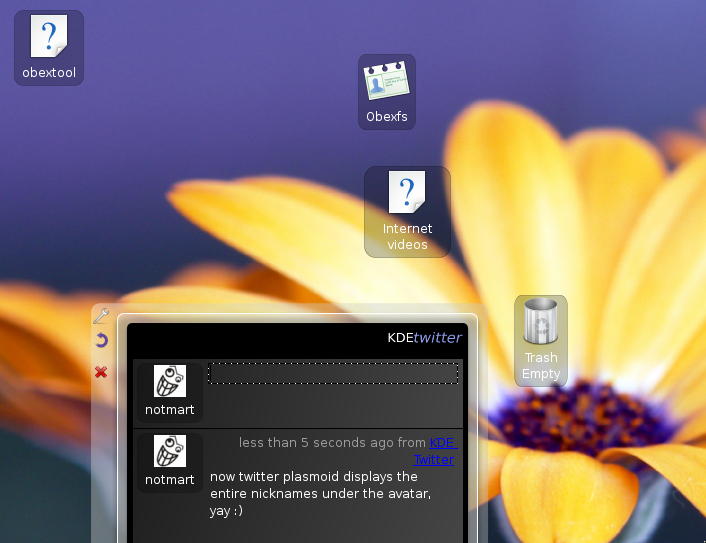
new plasma desktopToday you will find the plasma desktop looking something like this. This after some commits I did today that fixes two things.

First of all now the text fits better into the icon applet and you won’t get anymore text always elided also when this is not necessary.

And the new white text on dark background combination (that fits the general dark color scheme of plasma) ensures that the icon text is always readable no matter what the background is. Maybe in the future the text will appear with a blurred halo/drop shadow like in the poor old kdesktop or maybe it will stay so, we’ll see 😀

First alpha of Polyester2

Graphics

So I’ve decided to stop procrastinating and release a first alpha of Polyester 2 into the wild 🙂 you can get it here

some veeery important notes:

  • First of all it must be considered a very early alpha quality code not intended for everyday use, it could blow up your computer or eat your cat, use at your own risk 😛
  • as i said is not very stable and probably not all configuration option works
  • at the moment there is only the style, i don’t know if or when i will port the window decoration
  • it can be compiled with cmake (and you will need a kde4 snapshot o do so) typing
     cmake . -DCMAKE_INSTALL_PREFIX=whathever you want
     make
     make install
  • or with qmake (you will need only qt4 with devel package, but you won’t get the configuration dialog)
    in order to use qmake you must go in the style subfolder and type:
     qmake qmake.pro
     make
     make install
  • probably i won’t release another release tarball for quite some time, but if you’re curious there is a bazaar repository at the bazaar repository

KDE4 in a Polyester dress

Graphics

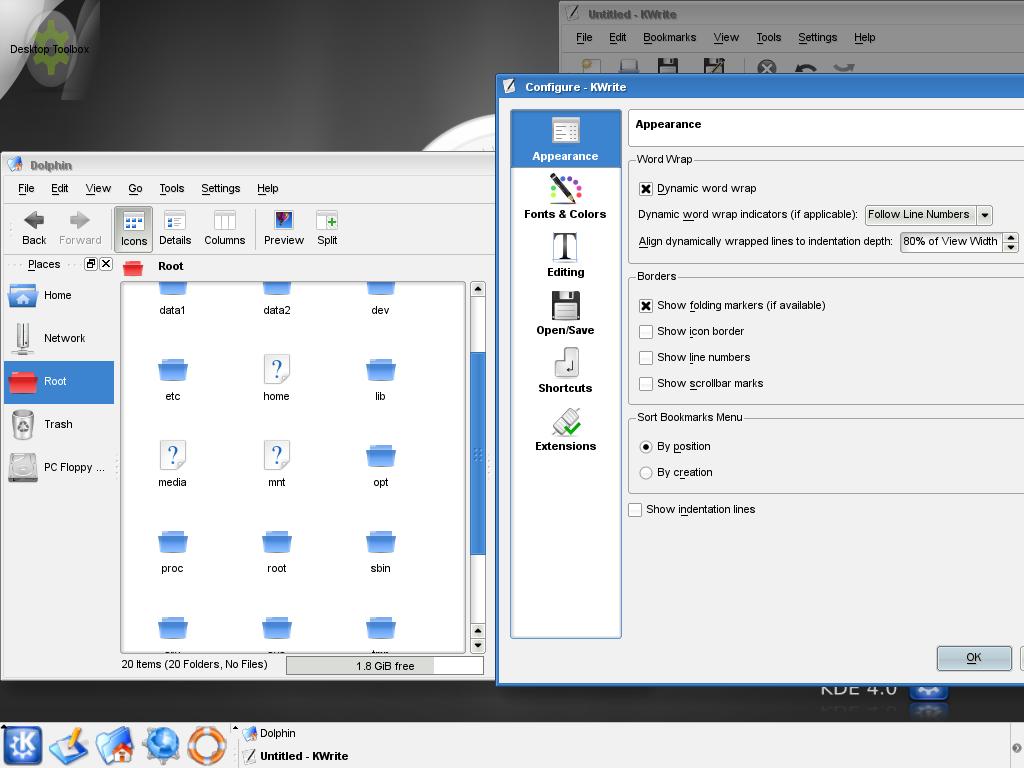
KDE4 with Polyester2 theme

The Qt4 version of Polyester is coming along nicely, is still too unstable for a first release but i hope an alpha isn’t too far.
Here you can see a KDE4 beta1 screenshot as it appears with the Polyester theme.

As you can see it won’t be exactly identical to Polyester1, because I want to experiment some of the new goodies offered by qt4, so maybe in the future it will be even more aesthetical changes, i don’t know.

If you are impatient to try it there is always the bazaar repository on launchpad.net/polyester

Polyester 1.0.1

Graphics

Yeah, it’s alive :). Finally i’ve decided to release a new version of Polyester. it contains only some minor bugfixes, in particular the long-annoying bug with kcompmgr should be gone (sometimes the windows weren’t completely painted).

As usual here you can download it and here it’s the changelog:

-corrected a build problem with automake 2.6+
widget:
 -better management of the menu stripe width
 -another hack for gtk-qt: the menu stripe is always off (yeah, it’s a broken solution but it was managed too bad…)
 -when both toolbar separators and menubar emphasis with border are turned on don’t draw an extra line under the menubar
deco:
 -when the focus policy is set to “focus follows mouse” the bad flickering should be done (need some testing)
 -corrected a bug that caused the windows not being completely painted when kcompmgr is activated

Polyester 1.0: finally

Graphics

Yes, you read correctly: the 1.0 is ready for download 😀
I just fixed the last few items I had in my TODO for the final version of Polyester, and since it didn’t seemto explode I decided to release it as 1.0. So I would consider it as “final”, except of course fixing critical and oustandong bugs, that as every “1.0” there will be tons of these :-P.

Here it is the final changelog:

widget:
  • -With colored scrollbars option turned off, the scrollbar handle has colored extremities on mouse over (similar to the Ubuntu theme)
  • -In the configuration dialog “Menus and toolbars” was misleading, now it’s “Advanced”
  • -nice circles instead of asterisks in password lineedits. Idea from Daniel Molkentin (will probably be the default in KDE 3.6 btw)
  • -default button highlight when animations are disabled
  • -alphablending (yes, fake of course:)) at the corners of the popup menus
  • -corrected a bug in the sliders aspect
deco:
  • -titlebar buttons icons have a cleaner aspect

Does this mean that the project is dead? Of course no: as I said if there will be ugly bugs I will make some bugfix releases, but the next Big Thing(tm) will be the porting to Qt4/KDE4, that I have absolutely no idea when I will find time to do it, but I will do it, it’s a promise 🙂