Author Archives: Marco Martin

Misc plasmoids on n810

Software

The KDE install in my n810 is still not fully functional, but at least i’ve checked the plasmoids i was more curious and that i think are more interesting on a device like that, so here it is a little pr0n gallery of random stuff plamoids and not:

KDE4 splash screen yeeah, this photo is horrendously blurred, btw looks really nice (and good that looks nice because you will see it for a loong time :P)


boot

Browser applet, i like the idea that on devices like this the browser would be something like an applet


browser applet - kde.org


browser applet - notmart.org

Twitter applet, successfully retrieves and posts items, only two gliches: the proxywidget input bug i talked yesterday and seems to fetch only the user avatar, not the other ones


twitter

Weather applet: weell, not really much to see, aanyways works as expected, seems that

Akademy, 810 and stuffs

BlaBla

came back from akademy saturday by plane together with Ruphy, WindowsUninstall and Andjam, all gone smooth, unlike other people, sorry guys 🙁 apart from the fact i now have a spectacular cold (probably weather nicer than the belgian one was a too big shock :))

don’t know what to say about it in particular, apart that KDE people are really amazing, especially those people have done a really crazy job, there was a sense of world domination really fantastic, it makes feel that is actually possible (hmm, maybe not world domination, but at least market domination yeah:).

Now at home, have a couple of patches still in the laptop that should really be polished/committed or mercilessy thrown away (/me laaazy)

Most important i should really do my thesis, and i’m trying really hard to do it (now i’m in the phase of making old terrible code to look good ohyeah, funny as eating a bunch of nails:)

But really nicer things pops up, like uhm… installing KDE4 on the new shiny n810 (Sorry for everybody else, but i’m reeally happy it did come with an Italian type L power plug eheheh) 😛

These are some reeeally empirical advices i’ve got, btw the Mek’s guide should be mostly enough:

  • Space on main device storage it’s negligible, just compile with a prefix under /media/mmc1 or /media/mmc2, maybe even qt
  • If you like me are a bit autolesionist, installing on vfat does work, just copy dereferencing the links with cp -R -L, would eat way more disk space but yay, works!
  • internal or external memory cards are mounted with noexec flag by default, so before starting it go into root (r&d mode must be enabled) unmount and mount them again
  • Installing dependencies and compiling qt+kde under scratchbox eats an humongous quantity of disk space, be prepared to sacrify around 10+ gigs of hard drive space 🙂
  • as Mek said if you got a compilation problem good odds that is qdbuscpp2xml (qt bug?), so delete the 0 bytes generated xml file, make with VERBOSE=1 to see the exact command and generate that file again with the system’s qdbuscpp2xml outside scratchbox
  • maybe it’s just here, but sometimes seems to really hate make -jsomething, even if you have a garzillion of cores better you forget it when you compile kdelibs under scratchbox
  • most of dependencies can be downloaded with apt, except shared-mime-info that the provided one is freakin’ ancient, oh and boost (ouch!) if you want kdepimlibs, but till didn’t managed to get pimlibs compile

Random impressions:

Very nice device, love its openess (well at least of the software) and hackability, it’s nearly not marketed at all and way too expensive, otherwise would sell many times it sells(or rather not sell) now

Little roadblock between us and world conquering: QGraphicsProxyWidgets seems to not accept some keyboard input: letters don’t work, enter and control shortcuts work, it’s in this way i managed to post from twitter applet (qt or hildon input methods bug?)

Oxygen widgets on one hand looks really nice due to the really high number of dpi, on the other hand gradients looks way crippled by the 16bit color depth

Overall is slow but not so much, some applications react to the tiny screen size better than one would imagine, plasmoids are in general behaving well, apart the input problem, /me thinks having a plasma interface designed for this type of beasts won’t be too hard.

minor but nice details

BlaBla

These days at akademy i really couldn’t do that much in the code perhaps i’m lazy and i left the laptop turned off (and the brain too:) from quite some days.

By the way so far it’s really fantastic and insanely tiring, yaaawn (i don’t ride the bike THAT much usually) 🙂

this photo

A little thing i managed to get done it’s a graphics change in plasma widgets and applets that have a scrollbar in it.

The Oxygen scrollbar was not really suited in plasma applets, both for its style and its colors, arrow button black on black with a flashing blue handle wasn’t really it in the plasma style… so now it’s svg themed too as other widgets.

it’s not really pretty as code but was really the least worst way, it uses a qstyle that must be explicitly set for each scrollbar, but it’s totally hidden from the api, since only widgets in kdelibs uses this thing, so just use widgets/
ScrollBar or TextView and all is done (hmm, i suppose i’ll have to provide also a set of treeview/listview and stuff so…).

Plasma everywherer than qt

BlaBla

First post at akademy i can only say this thing is amazing at the moment non on my laptop and the ethilic grade is uhm nice…. probably i will write a more “meaningful entry” waaay later…

Actually at the moment our Plasma on mobile devices GSOC god is very busy porting Plasma to these particular soda bottles. After hours of hard labour Martijn already got a initial version running – using the nice curly backround (which blends in perfectly!!).

On panel thinghie again

Software

KDE 4.1 is out from not too much but feature addition for 4.2 are in a really fast pace already, by the way 4.2 will be the answer to Life, Universe and everything (ok, bad pun but couldn’t resist :P)

As for Plasma, the changelog published by a certain KDE hacker (welcome back Aaron:D) is already pretty impressive, i wanted to talk about a feature that should really clarify the why of a thinghie that is present in KDE 4.1:

...
Plasma Desktop Shell
--------------------
* Features
   * Panel
       * resizes itself when an applet changes its sizehint
           according to its maximum and minimum size
...

KDE 4.1 has the possibility to resize/edit/move the panel with a widget that pops up over it, to decide the size you use a thing that resembles the wordprocessor paragraph rules, and there are 3 of them, because you can decide the position, maximum and minimum size. The difference between the maximum and minimum sizes in kde 4.1 is used only when adding/removing applets.

Since some time (and writing about it only now because i’m laaazy:)) the new behaviour, that was the intended one since day zero is:

When you move the minimum slider, the panel resizes itself until a size it consider somewhat “optimal” to fit all its applets without whitespaces. When an applet wants to grow (or shrink) it notifies the panel, which will resize itself according the chosed maximum and minimum size.

The white slider instead represents the “origin point”, so for instance if you have the panel aligned to the left and the white slider moved by 100 pixels you will always be sure that the x coordinate of the panel will be 100 pixels, even if it grows or shrink.

Of course (well, at least i think:)) the default setup will still be a panel with 100% maximum and minimum width, so will look as now, but will be very easy to obtain different behaviours 🙂

This is a video that shows the standard panel that is being centered, grows and then shrinks:

Theora version

Widgets party

Software

A target i have for Plasma in KDE 4.2 is to have a set of widgets that
integrates nicely with the Plasma theme to be reused across multiple plasma
applets.

We need this to minimize the amount of code required to write a fully
functional applet, and also we need them to be well integrated with the
Plasma theme, they must be as fast as possible and look as good as possible.
So (at least for the most common widgets like the buttons) we need to
reimplement them as pure QGraphicsWidgets that will be SVG themed as the
other Plasma elements.

Now i have mostly finished two widgets the first is a generic button with a
nice halo around it that appears with a fade in effect when the mouse pases
over it.

The other widget i’m writing is a tabbar also SVG-themed. The first place where it will be used will be the weather applet as you can see in this beautiful sneak peek by Nuno.

When the active tab
changes it slides to the new one and also the page displayed changes with a
nice sliding animation. These two widgets for now lives in playground but i
hope to move them into the main trunk for general usage as soon as possible.
here is a video that shows the animations of both the button and the tabbar,
the last part of the video shows quick switching of tabs with the mouse wheel.


More decent Ogg

Update of Polyester 2

Graphics

Published an updated version of the polyester widget style for Qt4/KDE4. Actually it was a pretty long time i didn’t touch that, but was too lazy to release the last state somewhere 🙂

Now i’m pretty happy with it, it seems to work pretty well, and is good, because i really don’t want to spend much time on it, it has a really high amount of hacks in it and i get bored quickly of things 🙂 however, how does it look? here it is:

Polyester 2

There will still be some updates for the time being, to correct most annoying bugs etc, btw 🙂

Waiter, there is a web browser in my Plasma!

BlaBla

Long time that i didn’t felt like to blog, in the past days of storm others have sait way more insightful things that i would have been able to say. I can only say i felt really bad for Aaron and that sometimes the intertubes really can expose the very worst of people, bleach 🙁 (ok, not really an original thing, but still…)

Aaaanyways, this time i wanted to blog on a very embrional plasmoid that i have started some weeks ago just for fun…
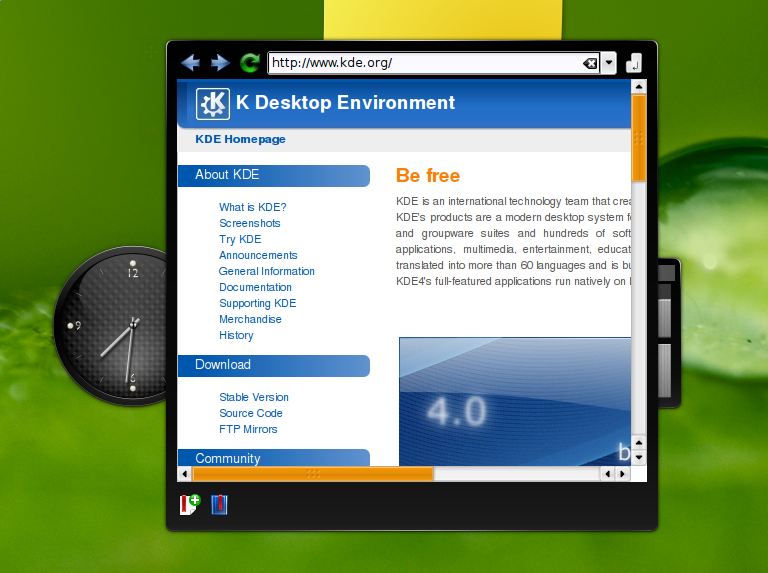
a web browser. A what? yes, a web browser.

Plasma web browser

At the moment it has a basic addressbar and toolbar buttons that works pretty much as expected, the browser window pretty much works apart some qt issues and there is a very embrional support for bookmarks.

It won’t be something much more complex than that, i want to keep it simple (stupid:) as much as possible.

It definitely can have its utility also in a today desktop, since it automatically restores the last url visited when plasma starts it could be useful for instance for a quick check on some website for updates that either don’t have a rss form for updates or the html view is somehow preferred for whatever reasons…

But this thing is more as a research thing on what plasma can do beside the desktop, like, it will be possible to build full blown applications with plasma?

Or, how it should look and what functionalities must offer on devices that potentially could have only plasma as their main interface and for all their functionalities? (yes, the idea comes from the amazing progress of the Marijn’s gsoc about plasma on mobile devices)

Sooo, if you want to check it out it’s in playground as usual (plasma/applets/webbrowser), all the disclaimers about alpha quality of the thing of course do apply (you know, like blowing out the pc or running away after marrying your dog…)

Oh, and btw:
Edit: yes, Pinheiro striked again 🙂I am going to Akademy

Salute to an icon

Software

Ok, it’s the new trendy thing of the planet and it’s quite funny 🙂

when the mouse left, the old icon faded away
casting a long shadow in the sunset of its way
into the autumn of the old desktop implementation
preparing the sunrise of a new sweet temptation

that’s right: a very bold way to say text with dropshadows and the background only fading in icon-based applets 🙂

4.1 times more Prettyness

Graphics

Ladies and gentlemen, let me introduce you the brand new shiny Plasma theme that will be used for KDE 4.1:

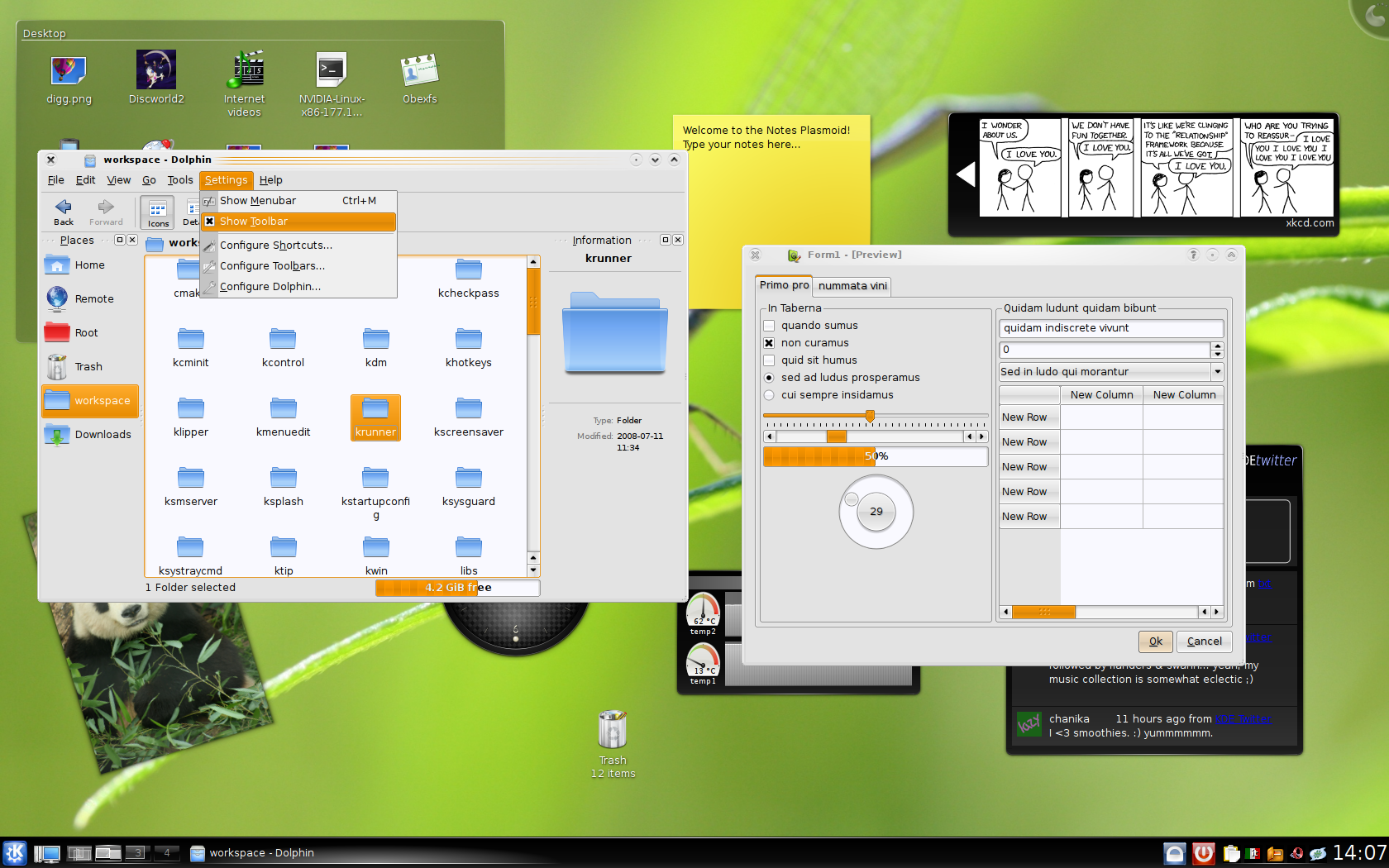
Plasma theme for KDE 4.1

Here you can see the new applet and krunner backgrounds, the new panel, our brand-new carbon fiber clock and some items that once upon a time weren’t themed at all, like the pager and the taskbar.

This is the wonderful work of Nuno, i did some work in the code in the last month to make the theme support even more extensive, to have all your nice plasma widgets with more SVG prettiness, so let’s start thing by thing 🙂

  • The pager: the mini-desktops now have 3 different backgrounds, and when the mouse goes over the widget the mini desktops fades in and out with a neat animation
  • The panel: when composite is disabled his borders must be nice even if we don’t have antialiasing and when its width is the 100% of the screen it’s really a different beast, so a different svg it’s used, one different for each edge of the screen the panel can be
  • Dialogs and krunner: they have the same styleas the applets, but when composite is disabled we don’t have antialiasing for border, so it’s drawn in a nice retro-style
  • Taskbar: it now supports SVG backgrounds for several task states, there was some performance issues but we hope we will be able to enable the neat animations on mouse over also here 🙂
  • System tray: yeah even that now has a SVG background to make it look coherent with the other panel plasmoids like the taskbar (and the pager, if the size is enough)
  • The analog clock: KDE4 is all about analog clocks, right? 😛 so how could we neglect it? Absolutely not, so it now has cool drop shadows under each hand, that are always projected in the right position when the hands rotate
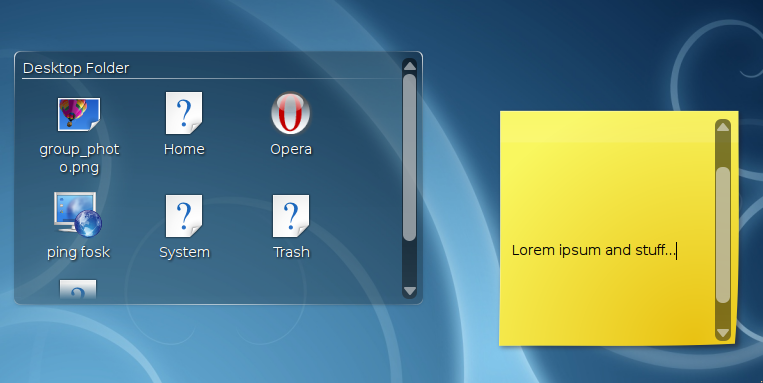
  • The folder view: due to its very nature it must have a more translucent background, to be easier on the eyes. Do you want to use that background on your applet? just call setBackgroundHints(TranslucentBackground) et voil