Author Archives: Marco Martin

Some commits to Plasma

Graphics

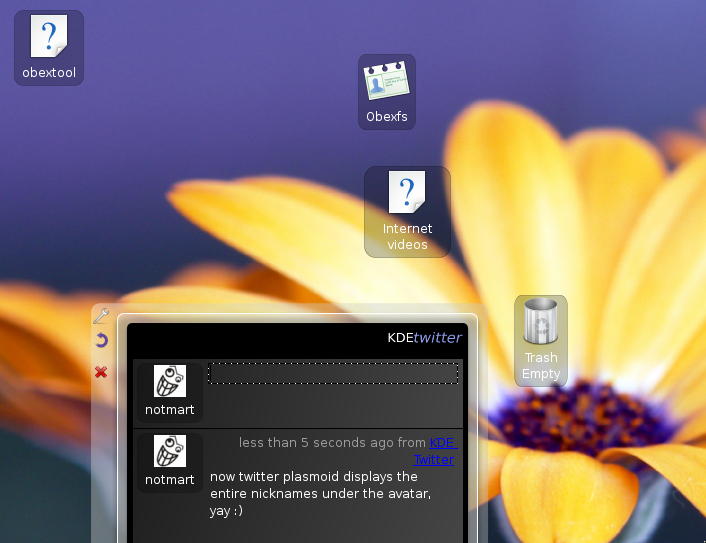
new plasma desktopToday you will find the plasma desktop looking something like this. This after some commits I did today that fixes two things.

First of all now the text fits better into the icon applet and you won’t get anymore text always elided also when this is not necessary.

And the new white text on dark background combination (that fits the general dark color scheme of plasma) ensures that the icon text is always readable no matter what the background is. Maybe in the future the text will appear with a blurred halo/drop shadow like in the poor old kdesktop or maybe it will stay so, we’ll see 😀

Another tasty release

Software

Tasty Menu 1.0.6 fixes an ugly regression and features a Brazillian portoguese translation by Ewerton de A. Dutra.
As usual you can get it here🙂
I hope it could be the last kde3 release, but yeah, I hoped so for several releases now, there is always something broken 😛

Beware the "Mighty?" 1.0!

Software

Not having spotted particular problems in the rc2, since I’ve received a new (French) translation (thanks to Laurent Hilsz!) I’ve decided to release it as 1.0, you can download it here.

I’m pretty happy how it has come along, of course I will continue to mantain it with bugfixes or translations, but at the moment i consider it more or less “complete”

Maybe some day I will embark in a kde4 port, maybe making it a little Plasma thingie, but since I’m finishing university, uncertain rules, we’ll see 🙂

First alpha of Polyester2

Graphics

So I’ve decided to stop procrastinating and release a first alpha of Polyester 2 into the wild 🙂 you can get it here

some veeery important notes:

  • First of all it must be considered a very early alpha quality code not intended for everyday use, it could blow up your computer or eat your cat, use at your own risk 😛
  • as i said is not very stable and probably not all configuration option works
  • at the moment there is only the style, i don’t know if or when i will port the window decoration
  • it can be compiled with cmake (and you will need a kde4 snapshot o do so) typing
     cmake . -DCMAKE_INSTALL_PREFIX=whathever you want
     make
     make install
  • or with qmake (you will need only qt4 with devel package, but you won’t get the configuration dialog)
    in order to use qmake you must go in the style subfolder and type:
     qmake qmake.pro
     make
     make install
  • probably i won’t release another release tarball for quite some time, but if you’re curious there is a bazaar repository at the bazaar repository